AI FASHION
Image consulting with a virtual try-on
Advise your clients without having to meet.
$44 a month excluding VAT · We review it by hand before activating it
Real looks from the Chulair community
Chulair has an account built for image consultants: you share your link, each client chooses what you can see — her wardrobe, her try-ons or whether you can try clothes on her — and from your panel you work with her real clothes. You try pieces on her own photo, combine what she owns with what you're proposing to buy, and send her the recommendation: she gets a notification on her phone and sends it to her try-on room with one tap.
How it works
- 1Share your link and your client chooses what you can see
- 2See her wardrobe and try clothes on her own photo
- 3Send her the recommendation and it reaches her phone
Fresh looks from the community
Your client panel
Every client who accepts your link appears in your panel with what she has let you see. Open one and it's all in tabs:
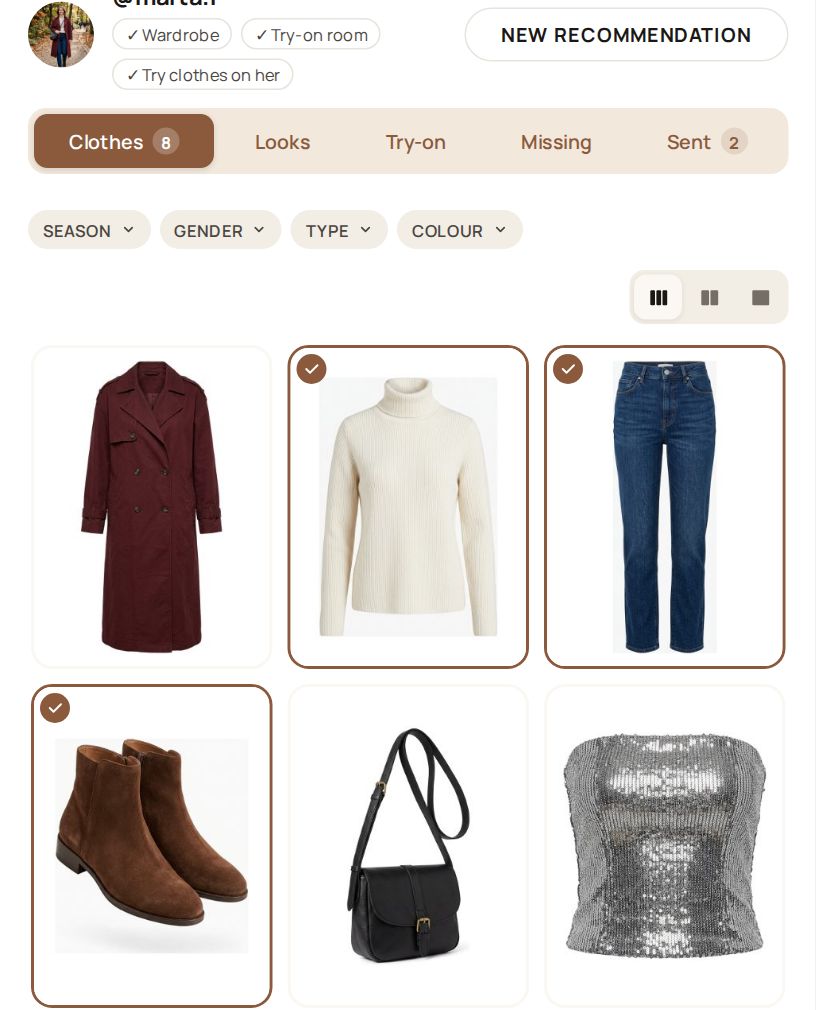
- Her garments, already separated and catalogued by the AI, with season, gender, type and colour filters.
- Her complete looks.
- Her try-ons.
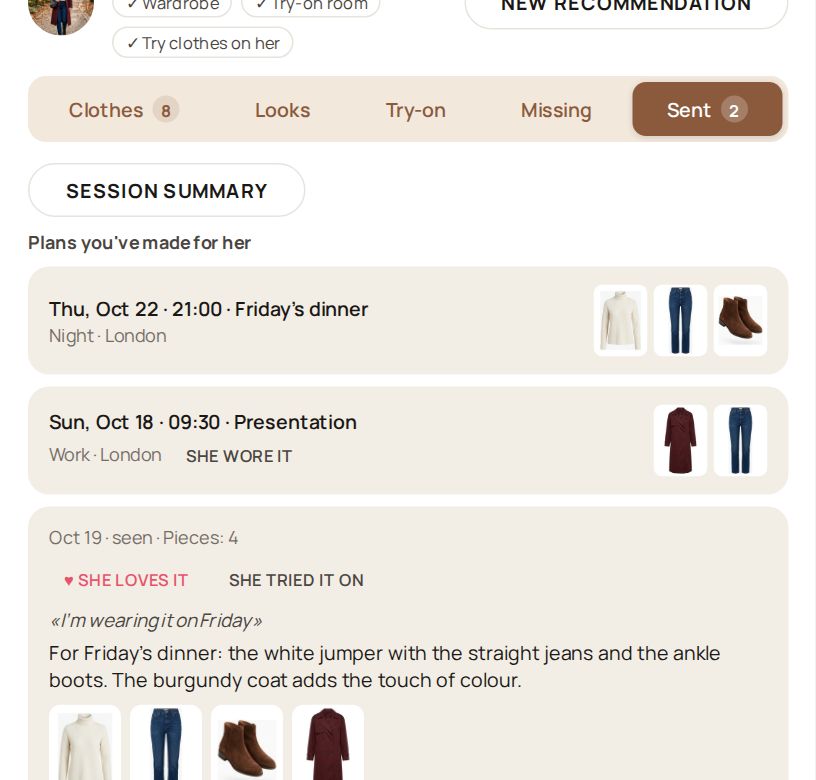
- The recommendations you've already sent her, with their pieces as thumbnails and whether she has seen them.
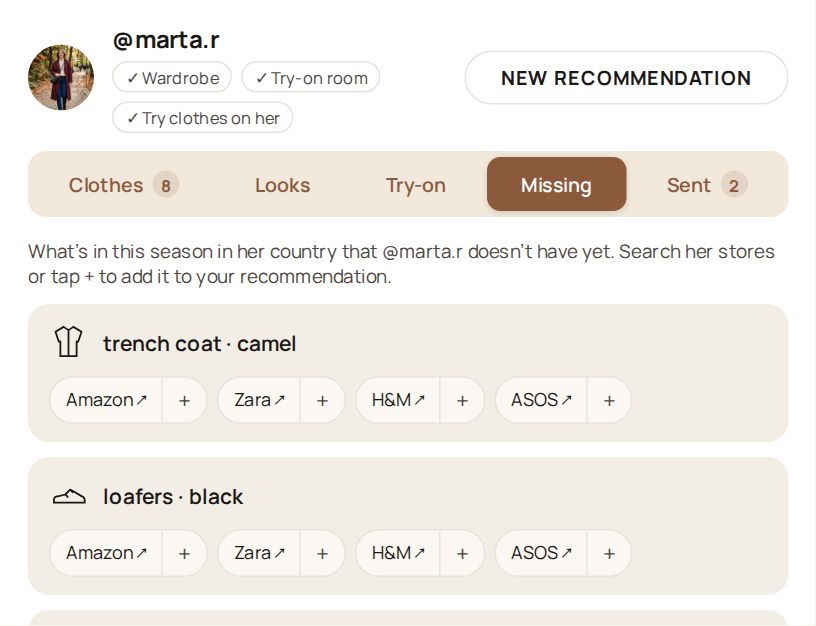
- What she's missing: the pieces that are in this season in her country and aren't in her wardrobe.
On a computer you see your client list and her wardrobe side by side; on a phone, the list, and you open each one.
Digitise her wardrobe in one visit
If she lets you digitise her wardrobe, you go to her home, take a photo of each garment — or pick them from your gallery — and they upload one after another while you keep shooting. Chulair cuts out each piece, catalogues it and leaves it in HER wardrobe, ready for her to use on her own: to combine it, try it on or plan her outfits. When it's done she gets a notification with the new pieces. Each photo comes out of the 300 garment photos your account includes every month and, if you need more, out of one-off packs that never expire. What you upload is hers and stays in her account even if she stops working with you.
Try clothes on her without being there
If she lets you try clothes on her, you pick the pieces — hers or from the Chulair Showroom — and the AI dresses her in them on her full-body photo. While it's generating you see the progress in the header, and the result appears in her try-on room marked as suggested by you. The account includes 200 try-ons a month.
Combinations with what she already owns
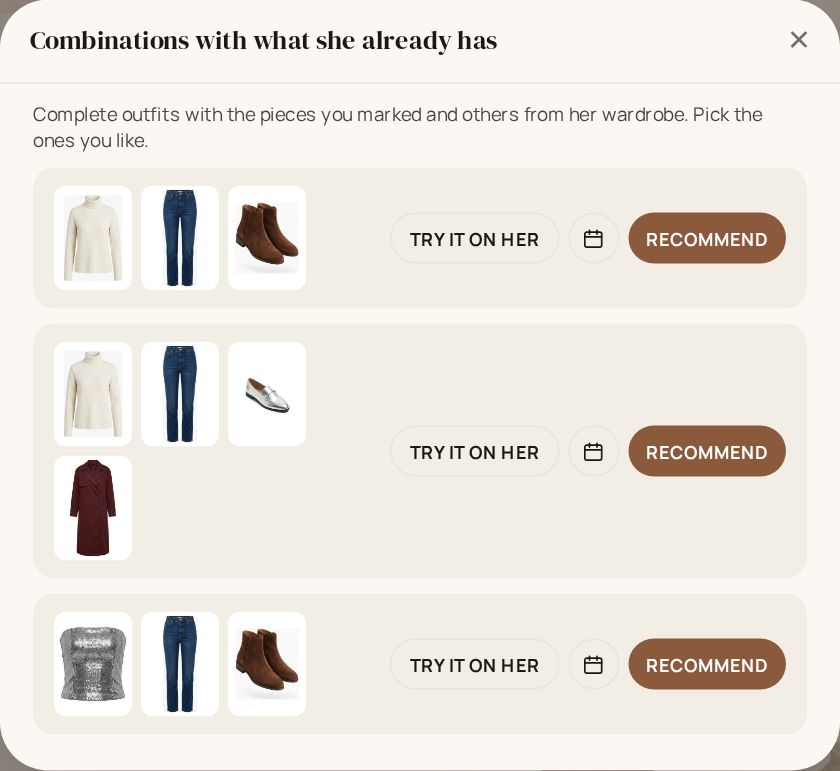
Mark one to four pieces from her wardrobe and Chulair suggests complete outfits with the rest of her clothes: with her shoes, on a neutral base with one accent colour at most, and with something different in each suggestion. It doesn't use AI: it applies styling rules, so it's instant and doesn't use up try-ons. Each combination can be tried on her photo, sent as a recommendation or left in her plans with one tap.
What her wardrobe is missing
The «Missing» tab compares this season's trends in her country with what she already owns and tells you what she lacks: a camel trench coat, black loafers. Each gap comes with the stores in her country that sell it; open the search or add it to your recommendation with one tap.
Recommendations that reach her phone
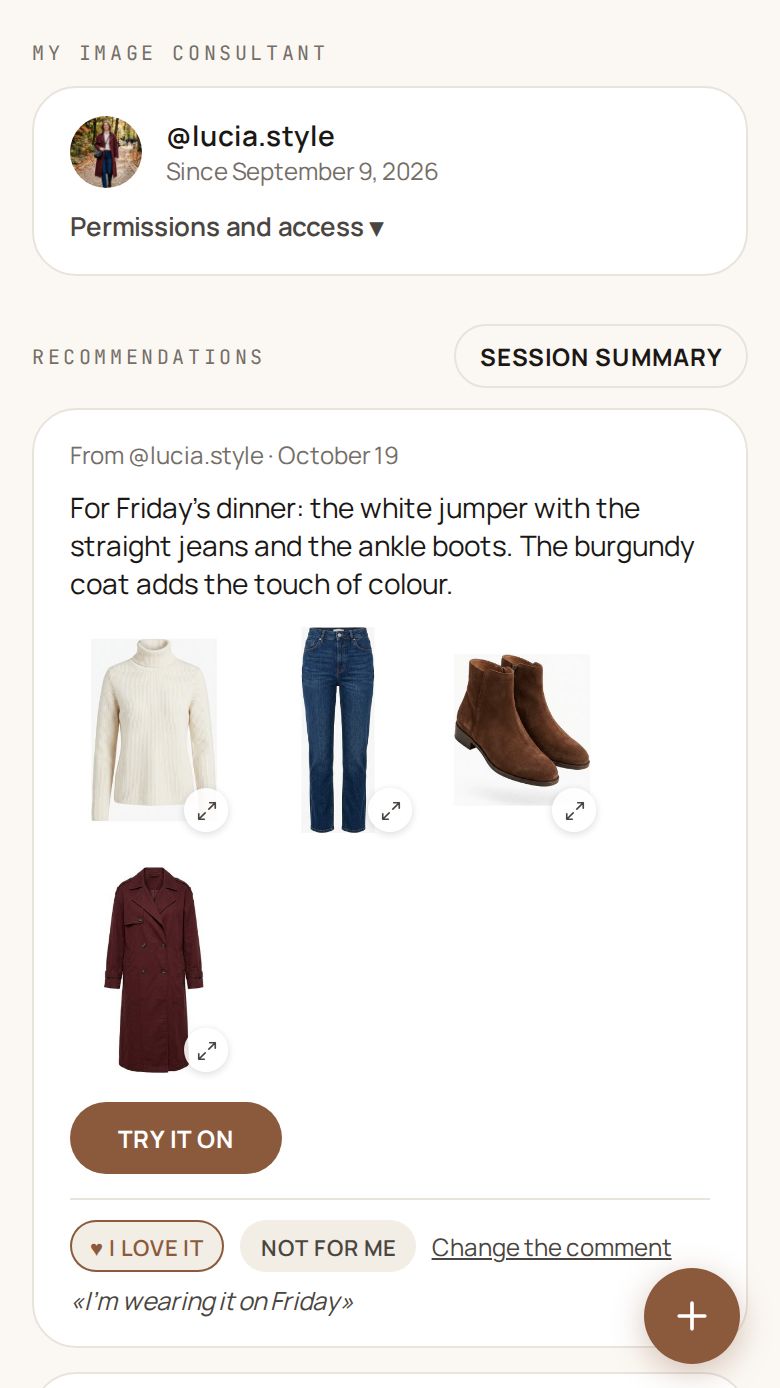
A recommendation brings together up to 12 pieces — her own garments, Showroom garments, a try-on and store links — with a note from you. Your client gets a notification and sees it in her «My image consultant» tab: she can enlarge each piece to full screen, send it to her try-on room with one button and open the stores in one tap. And she answers with «I love it» or «Not for me», with a comment if she likes.
You know when you got it right
In the «Sent» tab you see what she did with each recommendation: whether she saw it, loves it or isn't convinced, her comment, whether she tried it on and whether she opened the store. When she reacts, you get a notification.
Leave the outfit in her plans
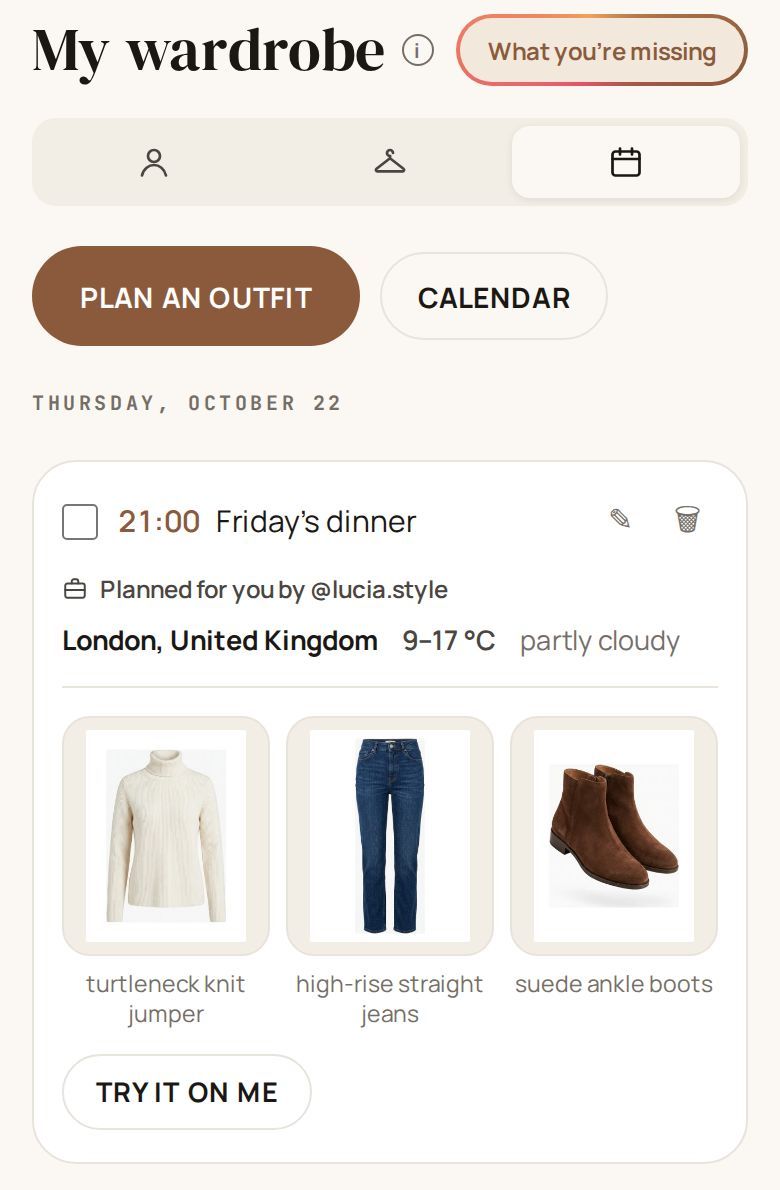
Choose the pieces, the day, the time, the city and the occasion, and the outfit lands in her Plans tab with «Planned for you by» and your @. She gets a notification, a reminder at that time and, if you set a city, the weather forecast for the day. In «Sent» you see the plans you've made for her and whether she has worn them.
A summary of every session
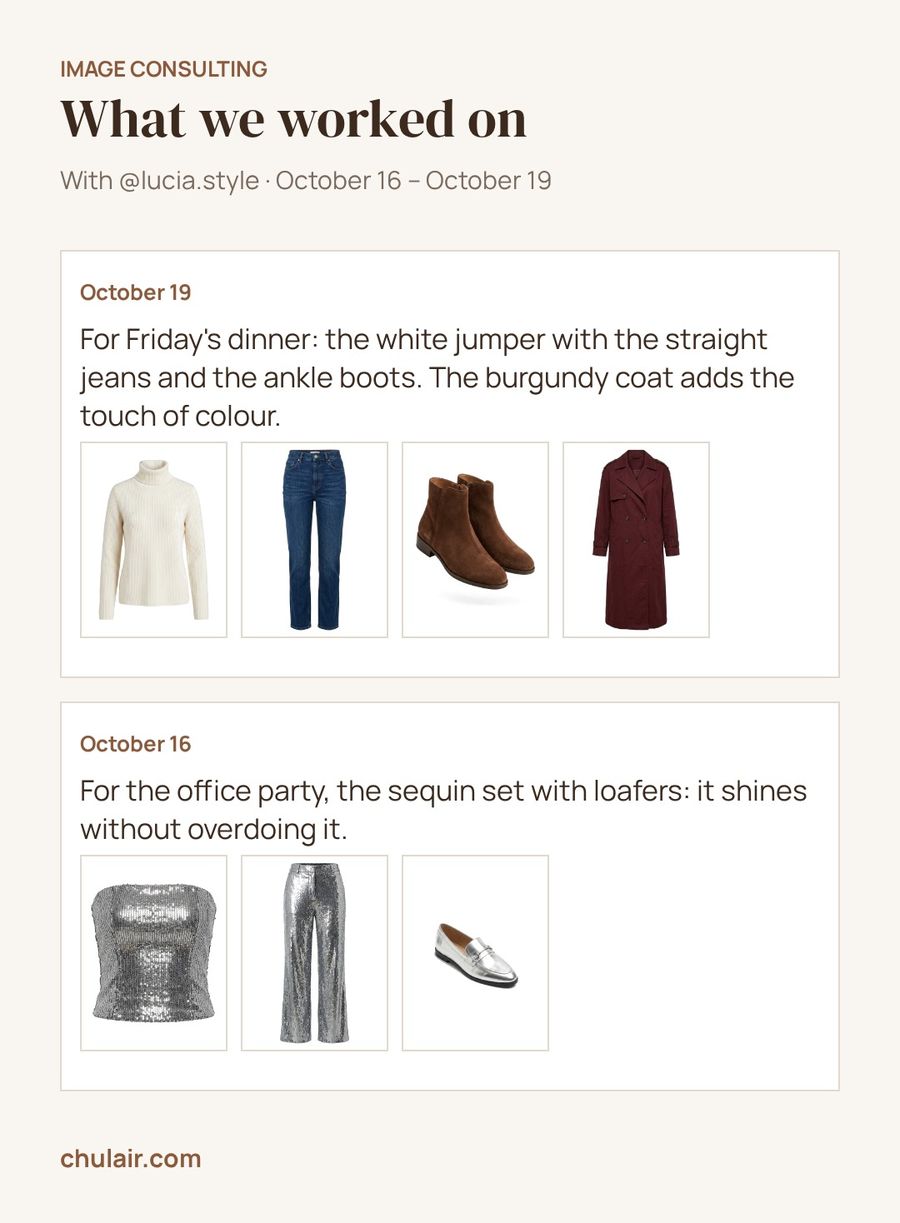
With one tap, Chulair puts your latest recommendations — the note and the pieces of each — into one image signed with your @. Your client saves or shares it, and you can also download it from your panel to send it to her. That way the work doesn't get lost in the chat.
Earn from your recommendations
Store links can point to any online store, including your own affiliate links. Chulair saves them and opens them exactly as they are, without rewriting them or taking a commission: if your client buys from your recommendation, the commission is yours. As with any recommendation that carries an affiliate link, let your client know.
Her permission comes first
Your client decides, box by box, what you see and do: her wardrobe, her try-ons, whether you can try clothes on her or digitise her wardrobe. She can change it whenever she wants, sees when you've looked, and can revoke your access at any moment. What you've already recommended stays in her account, and nobody sees her wardrobe unless she has accepted. The plans you leave her are hers: she can change or delete them whenever she wants.
What's included and what isn't
- $44 a month or $484 a year, excluding VAT, with 200 try-ons a month on your clients and 300 extra garment photos.
- To digitise wardrobes, one-off photo packs: 200 for €25 or 550 for €59, VAT included, never expiring.
- We review it by hand before activating it: you identify yourself and show the profile is yours.
- You apply on the web. Your clients can use the web or the app, for free.
- It isn't management software: no appointment calendar, no invoicing, no measurement records. It's the tool to see her clothes, try them on her, suggest looks and plan them for her.
FAQ
How do I try a garment on my client?
With the image consultant account you try clothes on her own selfie and the result appears in her try-on room as «Suggested by» your @. Without a professional account you can still upload a full-body photo of her yourself, always with her permission.
What do I need from my client?
She needs a Chulair account and to accept your invitation code. When she accepts, she chooses what you can see: her wardrobe, her try-ons and whether you can try clothes on her. She can change it or revoke your access at any time.
Can I work with the clothes she already owns?
Yes, in two ways: if she lets you see her wardrobe, you combine what she owns with what you're proposing to buy; and if she lets you digitise it, you photograph her clothes on a visit and leave them catalogued in her wardrobe.
Will it find the pieces in her usual stores?
Chulair searches each garment in stores in her country (90 markets, from Zara and Mango to local chains). It sells nothing: it takes you to the store.
How do I send her the proposal?
You send her a recommendation of up to 12 pieces — her own, from the Showroom, try-ons or store links — with a note; she gets a notification and sees it in the app. If you prefer, take the look as an image for WhatsApp or email.
How much is the image consultant account?
It costs $44 a month or $484 a year, excluding VAT: 200 try-ons a month on your clients, 300 extra garment photos and the image consultant badge. We review it by hand first: you identify yourself and show the profile is yours (a code in your Instagram bio works). You apply on the web, at chulair.com/for-professionals.
Is it a complete client management tool?
There's no appointment calendar or invoicing. You see your clients and their wardrobe with their permission, try clothes on them, send them proposals, leave outfits in their plans and know what they liked; the rest you keep doing as usual.